Getting Started
From MechaWiki
More actions
Getting Started
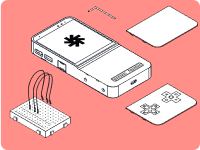
Welcome to the world of Mecha Comet. This guide will help you get started with your Comet, covering setup, core features, and how to make the device truly yours. Need inspiration? No worries! There's plenty to be found. Need help setting up? Head to our Discord or Matrix channels!
Mechanix (Default OS)
Mechanix Setup
- Power on your Comet
- Complete the welcome wizard
- Connect to WiFi
- Start using your device
Debian
Debian Setup
- Download the Debian image
- Flash to SD card or NVMe
- Insert into Comet
- Boot device
Arch Linux
Arch Setup
- Download Arch image
- Flash storage
- Boot device