Getting Started: Difference between revisions
From MechaWiki
More actions
No edit summary |
No edit summary |
||
| Line 13: | Line 13: | ||
</div> | </div> | ||
<div class="mecha-tabs"> | <div class="mecha-tabs"> | ||
| Line 25: | Line 24: | ||
<label for="tab-mechanix">Using Mechanix</label> | <label for="tab-mechanix">Using Mechanix</label> | ||
<div class="mecha- | <div class="mecha-tab-content"> | ||
<div class="mecha-tab-panel | <div class="mecha-tab-panel setup"> | ||
<h2>Set up your Comet</h2> | |||
<p>Follow the steps to get your Comet ready.</p> | |||
</div> | </div> | ||
<div | |||
< | <div class="mecha-tab-panel extensions"> | ||
<h2>About Extensions</h2> | |||
<p>Extensions let you expand the Comet’s hardware capabilities.</p> | |||
</div> | </div> | ||
<div | |||
<div class="mecha-tab-panel mechanix"> | |||
<h2>Using Mechanix</h2> | |||
<p>Mechanix is the default environment on the Comet.</p> | |||
</div> | </div> | ||
</div> | </div> | ||
</div> | </div> | ||
</html> | |||
Revision as of 14:46, 22 February 2026
Getting Started
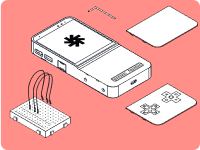
Welcome to the world of Mecha Comet. This guide will help you get started with your Comet, covering setup, core features, and how to make the device truly yours. Need inspiration? No worries! There's plenty to be found. Need help setting up? Head to our Discord or Matrix channels!
Set up your Comet
Follow the steps to get your Comet ready.
About Extensions
Extensions let you expand the Comet’s hardware capabilities.
Using Mechanix
Mechanix is the default environment on the Comet.